
A maintenance-related return can become a costly after-sales case for a distributor.
Last year one of our partners took a unit back for what the customer described as motor failure — their technician opened the rear panel and found the air pump intake packed solid with dust and pet hair, and the pump housing discolored from heat.
The pump still worked. It had been suffocating for months.
The technician found a maintenance issue in that case.
This is the quiet cost that never shows up in a distributor’s margin sheet: how many of your “faulty unit” returns may involve a maintenance issue? A one-page owner care sheet, handed over at the point of sale, is the cheapest tool you have against that number.
What follows is an owner-care routine for accessible parts that the model’s manual permits users to maintain. Do not remove panels, reach into the mechanism or access the internal pump; those tasks belong to qualified service personnel. This is the routine we send our own partners to pass along — written so you can hand it straight to an end customer, print it for the carton, or paste it into a follow-up email.
From our side of the line: across the export orders we handle, the most common “motor failure” claim we trace back is a blocked air-pump intake — a component that never failed.
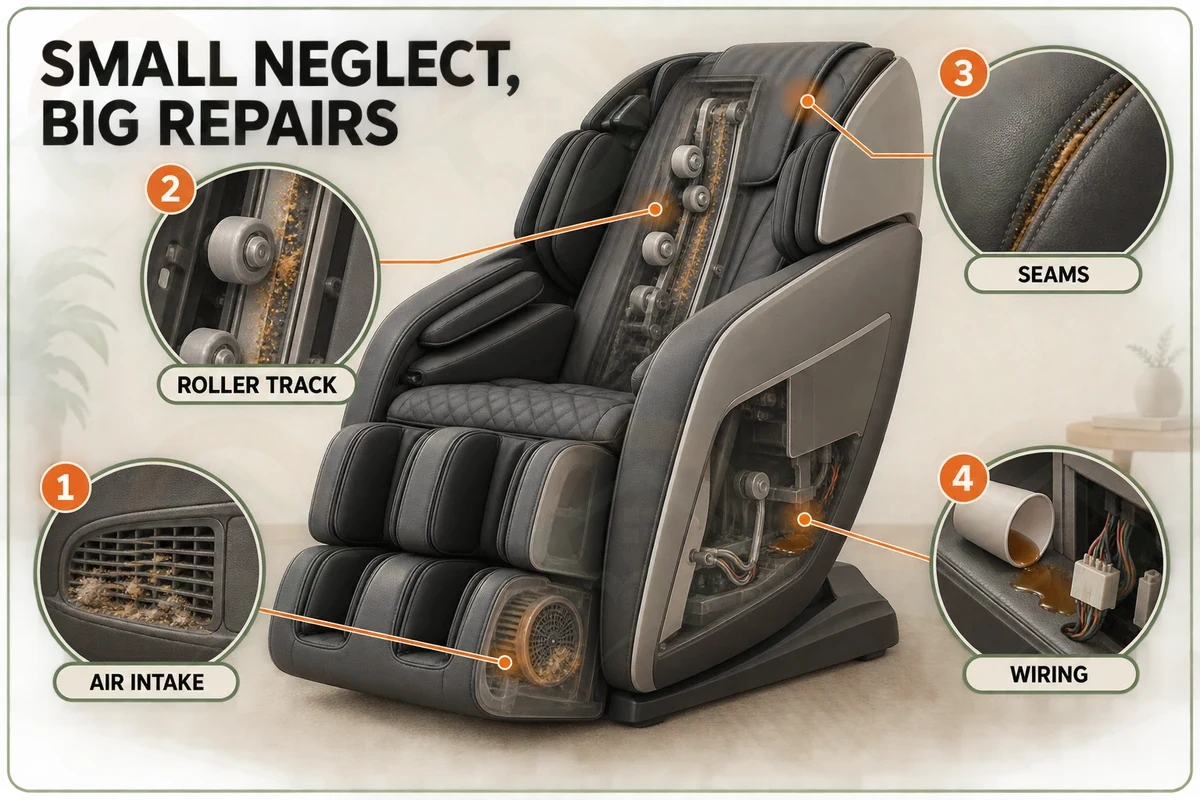
A massage chair packs four systems into one sealed box: upholstery over foam, a roller carriage riding a precision guide rail, an air system with pump, hoses and valves, and a mains-powered control board. Maintenance issues can contribute to the following symptoms; a technician must establish the actual cause:
- A blocked air pump intake can restrict airflow and contribute to overheating or reduced output. Similar symptoms can have other causes, so diagnosis belongs to qualified service personnel. Related: EP4.1: Air Pump Problems
- Debris near a roller track can contribute to grinding noise; do not reach into the track. Have a technician inspect new or persistent noise.
- Body oils and sweat left in the seam lines → synthetic leather absorbs them, the plasticizers migrate, and the surface cracks and peels years ahead of schedule. Related: EP1.0: Leather Types and the 3,000-cycle abrasion test
- Spills that reach the seams → liquid tracks down to the wiring harness and connector terminals → corrosion, odor, and a repair nobody budgeted for. Related: EP8.0: Wire Harness Engineering
Routine care can reduce some of these risks, but it cannot establish the cause of a fault or rule out a manufacturing defect.
What Goes in the Owner’s Kit
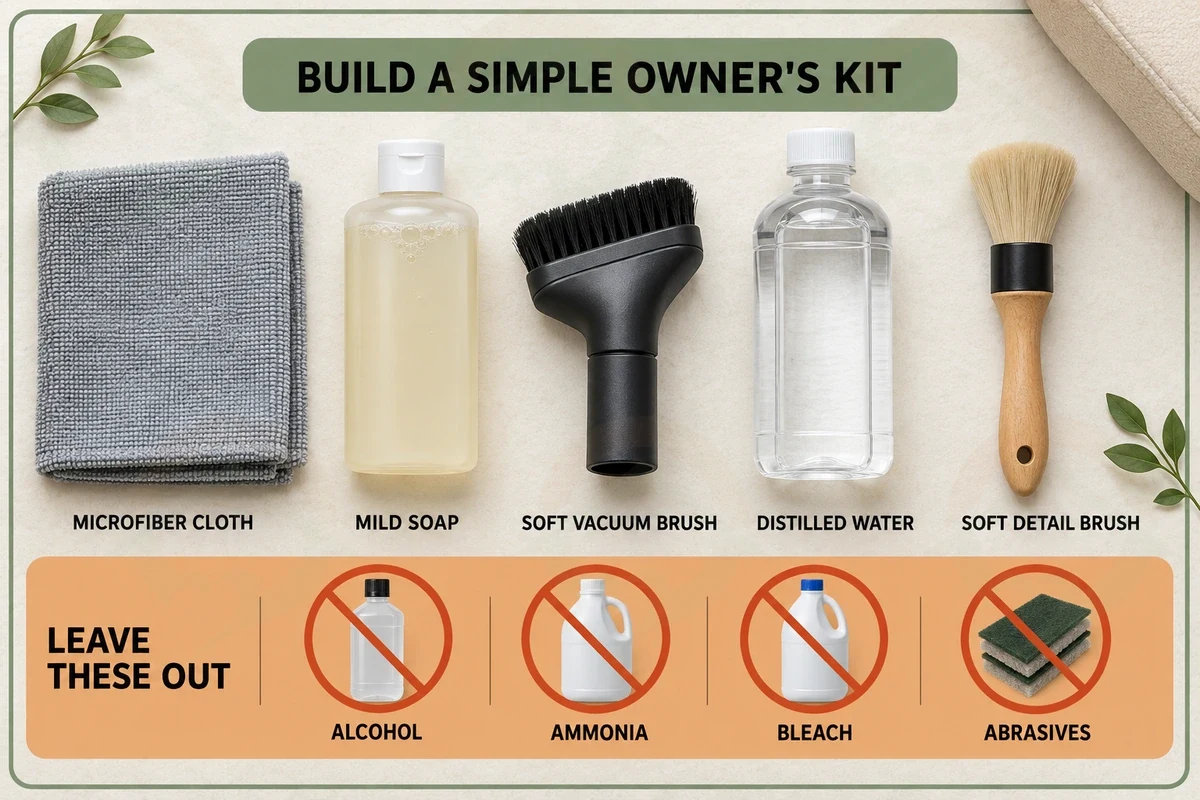
Keep it short. This is not a chemistry set:
- A soft, lint-free microfiber cloth
- A mild soap, or a cleaner explicitly approved for the upholstery — genuine leather, synthetic leather (PU) and fabric each react differently to the same bottle
- A vacuum with a soft brush attachment
- Distilled water — the dissolved minerals in tap water (water hardness) dry into spotting on leather, a small detail that produces a surprising number of complaint emails
- A soft-bristled brush (an old toothbrush works) for seams and crevices
Leave out anything alcohol-based, ammonia, bleach, abrasive pads and “all-purpose” kitchen sprays. On synthetic leather those strip the topcoat instead of cleaning it, and a surface that has lost its topcoat does not last two years.
The Routine, Step by Step
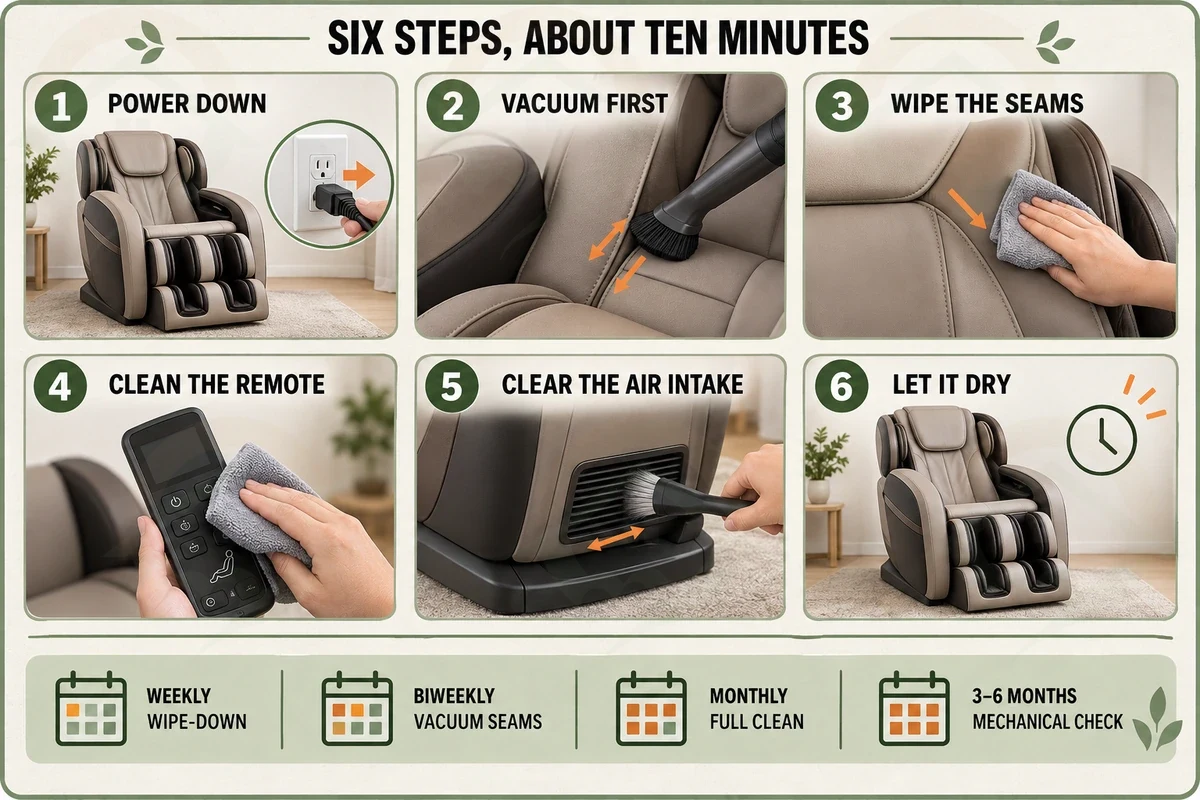
Six steps, and the order matters — vacuuming after wiping just grinds grit into the surface.
1. Power Down First
2. Vacuum Before You Wipe
Soft brush attachment. Seams first, then the headrest, then accessible exterior crevices around the base of the legrest, only where the manual permits. Keep the attachment away from moving mechanisms. Wiping a dusty chair first grinds grit into the upholstery — you are polishing sandpaper.
3. Wipe the Upholstery Along the Seams, Not in Circles
Damp microfiber, mild soap, working along the seam lines, then a dry cloth to finish. Do not soak the surface: a few centimeters away sits a control board and a wiring harness.
4. Clean the Remote Properly
Power it off, unclip it from the armrest if it detaches, and wipe with a barely damp cloth. Liquid pooling around the buttons is how remotes die young — and to a customer, a dead remote reads as a dead chair.
5. Clean Accessible Exterior Vents Only as the Manual Allows
If the model’s manual identifies an exterior vent or removable filter for user cleaning, follow its method and interval with the chair unplugged. Do not remove panels, insert tools or compressed air into the chair, or access the internal air pump. If the intake is internal or the manual gives no user-cleaning procedure, ask the service team to inspect it.
6. Let It Dry Completely
No power, no sitting, until it is dry to the touch. Moisture near electronics does not announce itself: it reappears months later as an intermittent fault nobody can reproduce, and you end up covering it under goodwill.
How Often? Put This on a Sticker Under the Armrest
| Task | Frequency |
|---|---|
| Quick upholstery wipe-down | Weekly |
| Vacuum accessible seams and exterior crevices as the manual allows | Every 2 weeks |
| Owner clean (upholstery + accessible exterior vents + remote, per manual) | Monthly |
| External condition and function check (below) | Every 3–6 months |
In high-traffic environments — hotel lobbies, spas, shared offices, retail floors — run this on the weekly end of the range, not the monthly one. Commercial duty is harder on a chair than home use, and it is the fastest way to expose a maintenance gap (see our vending chair range).
The 3–6 Month External Condition and Function Check
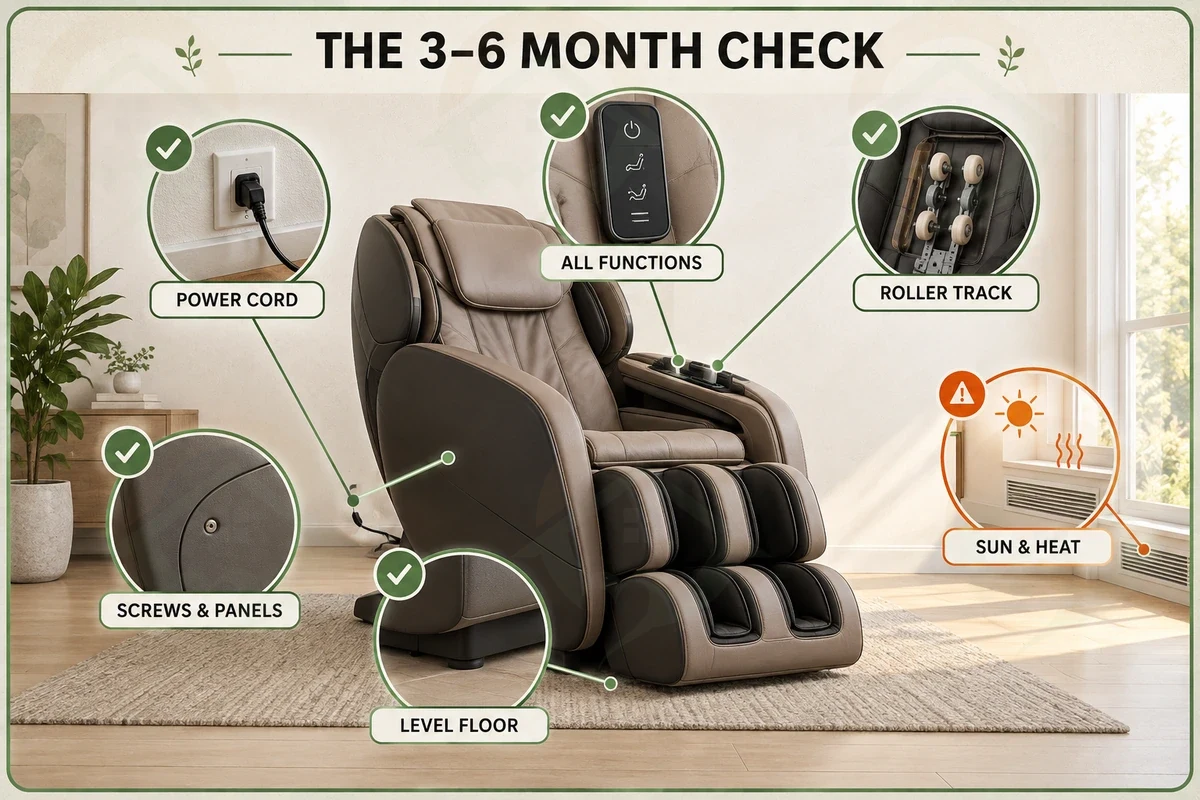
Follow the model’s manual and check only accessible exterior parts and normal operation. Stop using the chair and contact service if you find damage or abnormal movement:
- Power cord — any fraying, cracks, exposed wire, or a plug that runs warm?
- Every recline and massage function — run them all and listen for anything that sounds different from last time.
- Roller movement — listen during normal operation; do not access the internal track. Report grinding or irregular movement to service.
- Exterior panels and visible hardware — check visually for looseness or damage. Do not open panels or adjust internal hardware; ask service to handle repairs.
- Placement — level, stable surface only; an uneven base loads the frame and motor unevenly.
- Sunlight and heating vents — direct exposure ages upholstery faster than actual use does.
These owner observations help the service team assess a problem; they do not replace a technical inspection or determine responsibility for a fault.
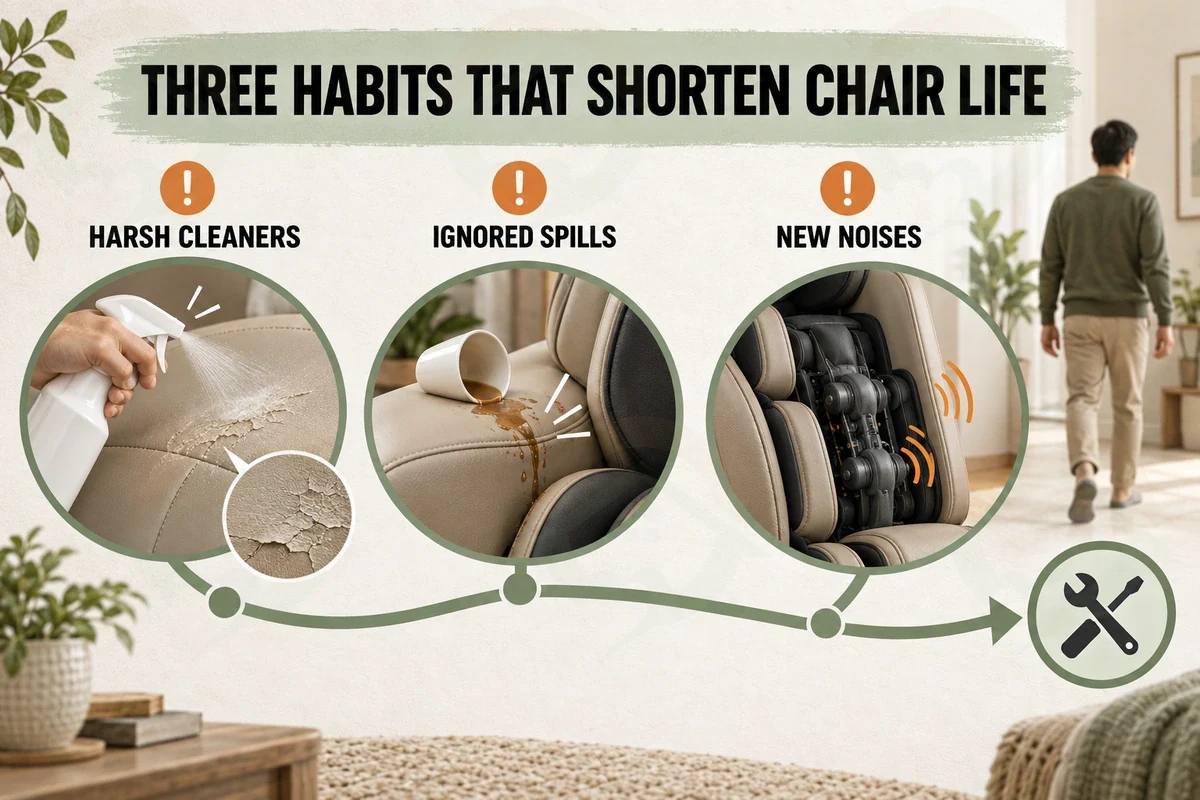
Three Habits That Quietly Kill a Massage Chair
1. Harsh cleaners
Alcohol, ammonia and bleach do not clean synthetic leather. They dissolve its finish, and the surface underneath is left with no protection at all.
2. Ignoring spills
A drink that reaches the seams does not dry and disappear. It sits in the foam and against the harness, and it corrodes.
3. Shrugging off new noises
A new click or grinding sound should be assessed by the service team. Stop use if operation is abnormal, rather than opening the chair or continuing to run it.
Your Burning Questions (FAQ)
Q: Can I use any leather cleaner on a massage chair?
Only if it is labeled safe for the exact material. Genuine leather, synthetic leather and fabric react differently to the same product, so check the manual for the upholstery code before reaching for whatever is under the sink. Material differences are covered in our leather type guide.
Q: The chair smells. What now?
Vacuum it thoroughly, wipe down with a mild cleaner, and ventilate the room. Skip heavy fabric sprays — the fragrance residue settles back into the same seams it was supposed to fix, and it can leave a film on the surface.
Q: Does this replace professional servicing?
No. Routine cleaning and owner checks do not replace professional inspection, servicing or repair.
If a roller stops moving, a motor will not engage, or the chair reports an error, stop use and contact the service team. Do not open the unit or attempt internal repairs.
Q: How much longer does proper care actually extend service life?
Care does not add a fixed number of years; it removes the failure modes that shorten them. Air pumps, roller carriages and PU upholstery age mainly from heat, grit and oil.
Keep those three out of the machine and it reaches the far end of its design life.
Q: We are a distributor, not a service company. Why does this matter to us?
Because the cost lands on your brand either way. The customer does not distinguish between a design fault and a blocked vent — they distinguish between a chair that lasted and one that did not.
Why This Belongs in Your Unboxing Kit
A one-page version of this checklist, dropped in the carton or sent as a follow-up email after delivery, is one of the cheapest after-sales tools a distributor can deploy.
On our side, care sheets ship as standard with OEM orders from our factory, together with the spare-parts list and the service contact.
Air pumps, hose sets, remote handsets and controller boards are held for years after a model ships — the end customer should know who to call before anything goes wrong, not after.
If you want the editable one-page version we hand to our own partners — your logo, your language, your contact details — ask for it. It is this article, minus the explanation.
Quick audit: is your after-sales kit doing its job?
1. A care sheet in every carton? 2. Manual-specific instructions for user-accessible exterior vents? 3. Service contact and spare-parts list included?
Two or more missing? Send us your current after-sales pack and we will reply with what we would add.