
Part 1 — Cashless Payment System
Part 2 — Cash Box & Banknotes
Part 3 — Remote Monitoring
Part 4 — Internet & SIM Connectivity
Part 5 — Model Selection and Size Parameters
Part 6 — Spare Parts & Upholstery
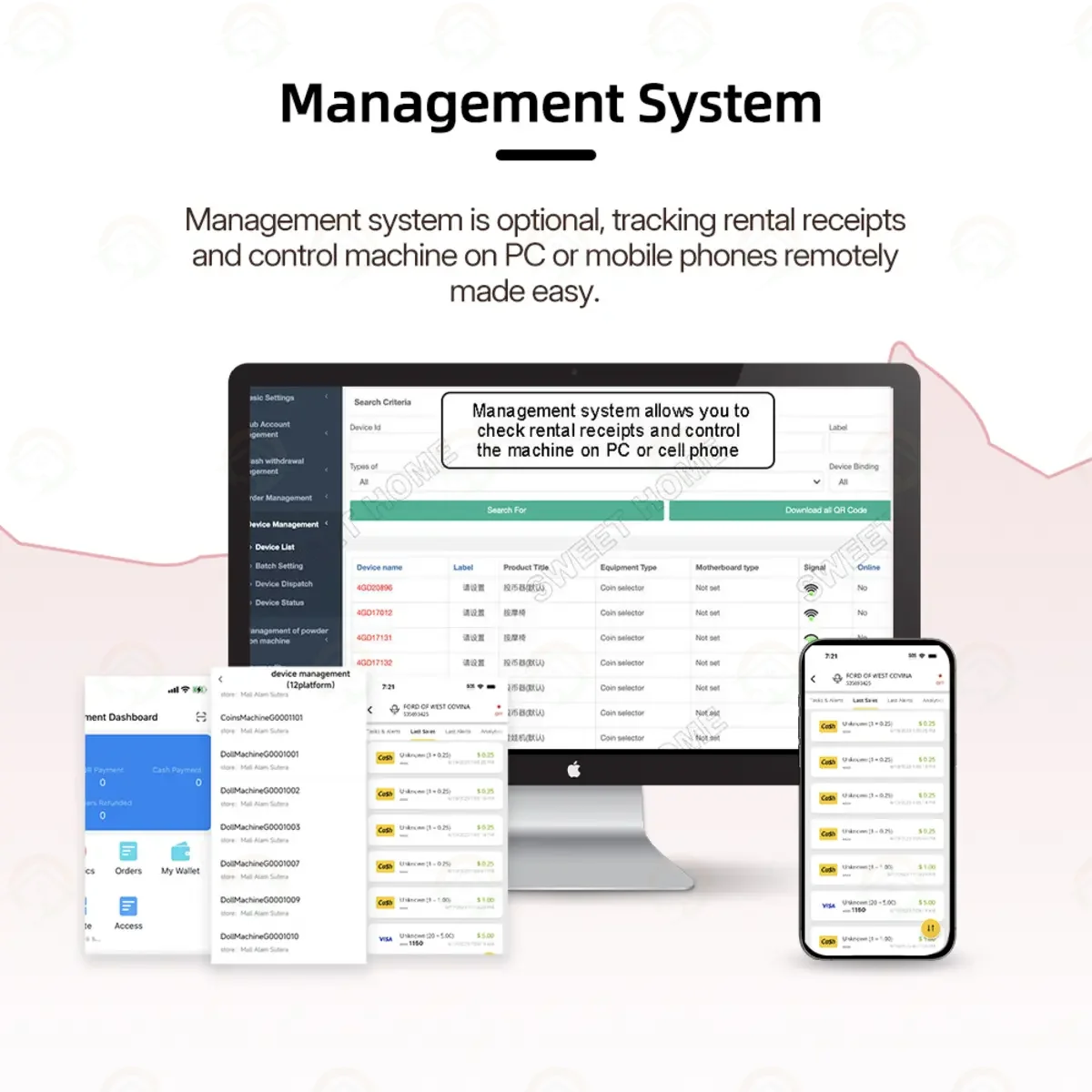
For a vending massage chair operator, cashless payment is only the first question. After installation, you need to know which chair took a payment, whether its terminal is connected and what to do when a customer says the massage never started.
This third FAQ covers what a Nayax account may show remotely, what it cannot prove about the chair and how to verify the refund path before rollout.
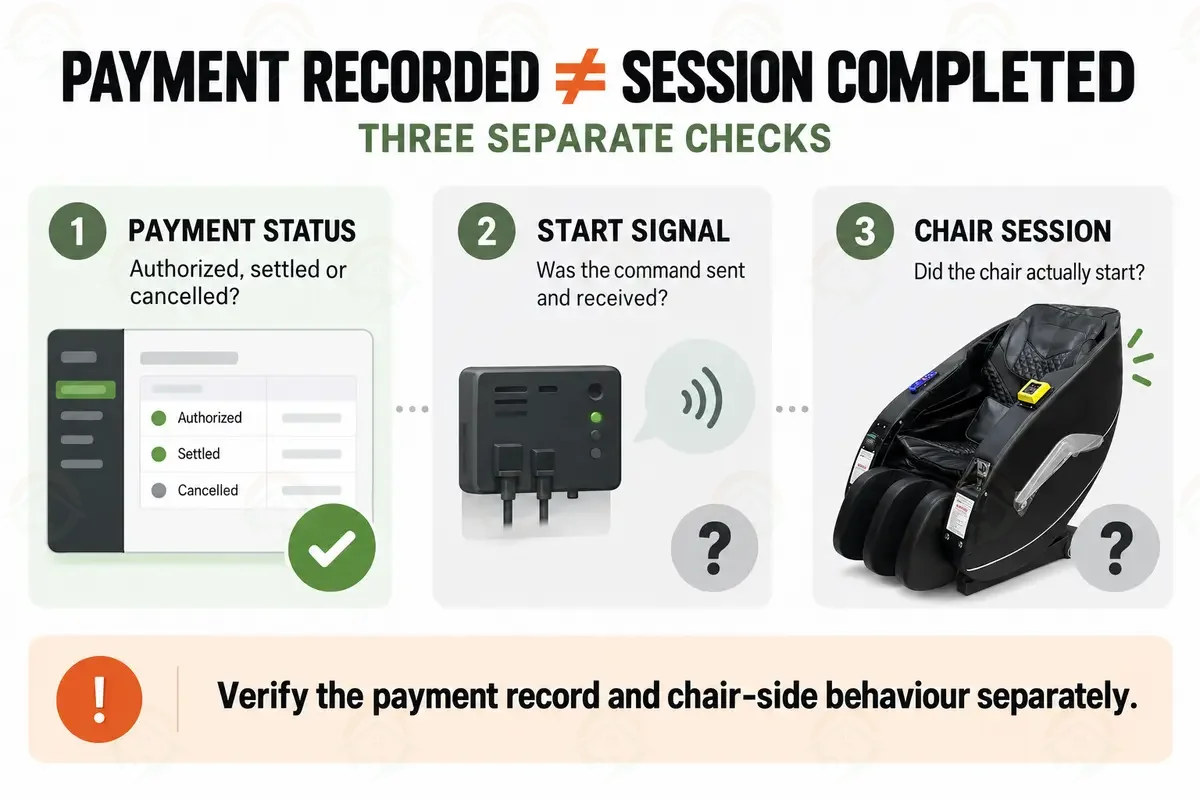
Nayax Core is a third-party payments and management platform; MoMa access, reports and alerts depend on the deployed device, account permissions, connectivity and settings. A successful payment record is not, by itself, proof that a Sweet Home chair started or completed a session.
Ask for model-specific integration evidence before making that promise to a venue.
New to the series? Read Part 1: cashless payment terminals and Part 2: cash boxes and banknote acceptors. This page stays with remote monitoring; the network and SIM questions belong to Part 4.
What Can an Operator Monitor Remotely?
Can I see daily takings and individual card transactions?
In an appropriately configured Nayax Core account, an operator can review sales reports and use the Dynamic Transaction Monitor (DTM) to find a card transaction by transaction ID or authorization reference.
The report distinguishes an authorized amount from the final settlement amount, and displays a transaction status; do not treat an authorization hold as money finally charged. Access to DTM is permission-controlled. See Nayax's DTM field guide.
Confirm whether the specific terminal and account also report cash activity. Coin or note takings should not be silently added to the card total: cash reporting requires the relevant cash input, wiring or data interface and a checked configuration.
Reconcile a test transaction with the operator report before calling a dashboard total 'all revenue'.
Can I see whether a terminal is online, or receive an alert when it disconnects?
Nayax Core offers machine status views and configurable alerts, but its monitoring guidance says an offline or payment-failure notification will not be sent if alerts have not been set up at machine level.
Check which operator account receives it, the alert rule, and the timestamp of the last report. An offline payment terminal does not automatically establish that the chair itself is mechanically out of service.
A dashboard's 'last seen' time may lag a network interruption. If the terminal goes offline, verify the site's power and connection before dispatching a chair technician. Part 4 of this series covers network and SIM choices separately; no always-online guarantee is implied here.
Can the dashboard tell me that a massage session really ran?
Not from a payment record alone. On a pulse-operated installation, a compatible payment reader can send a pulse that the chair control system interprets as credit or a start command; the provider's pulse-mode guide even uses massage chairs as an example.
Whether a particular chair returns a separate start or completion signal to the provider is a different, model-specific integration question. Ask for the wiring map, the reported events and a witnessed paid-start test for the exact configuration ordered.
How Should Failed Payments and Alerts Be Interpreted?
Is a declined payment the same as a cancelled session or a chair fault?
No. Nayax distinguishes a bank or payment-method decline from a cancellation caused by a device, configuration, timeout or communication issue. Its cancellation and decline guide lists possible causes, not a diagnosis of the chair in front of you.
Record the exact message, transaction ID, device ID, amount, local time and time zone before investigating; do not infer the root cause from a single label.
Which error codes matter when a chair did not start?
Start with the actual code returned in that operator's Nayax report. Nayax's Cancel Type reference labels 3 as 'Cancelled by Machine', 6 as 'Product Could Not Be Dispensed' and 32 as 'Vending Machine Communication Error'.
These are Cancel Type IDs, not proof that the massage-chair motor, controller or harness has failed. In that report's code set, 44 is standing-order registration and 45 is card validation.
A different namespace, Spark DeclineCallback ErrorCode, does define 44 as a POS-device timeout and 45 as cancellation on the POS device.
That Spark callback occurs before payment authorization and is not a universal chair fault code. Always identify the report field or API before interpreting a number.
Will an app push, email or webhook automatically report every failed massage?
Do not assume so. Nayax documents configuration of machine-level alert rules, but the available triggers and delivery depend on the account, device and integration. A terminal offline alert or a payment failure event is not the same as a verified chair-side 'massage did not start' event.
A third-party API or webhook also requires entitlement and implementation; neither should be described as standard for a chair unless demonstrated on the purchased setup. For the order, list each required alert with its source event, recipient, channel and test result.
What If a Customer Pays but the Chair Does Not Start?
What should the operator check first?
First establish what the customer actually sees: a bank authorization hold, a settled charge, or a cancelled attempt. Find the matching DTM record by transaction ID or authorization reference and note the terminal, amount, time and status.
Do not ask the customer to pay again until the first attempt is resolved; do not promise a refund before identifying the charge and refund authority.
Next verify that the terminal and chair both have power, read any on-screen or controller fault indication, and determine whether a configured start signal was sent and received.
For a pulse installation, a qualified technician can compare the ordered pulse price and output with the chair's input wiring and start logic. A payment platform cannot establish a broken chair board solely from a charge record; equally, a silent chair does not prove the acquirer failed.
Escalate with both the provider-side transaction record and the chair-side test evidence.
Can a 'vend failure' label tell me exactly what went wrong?
No. Nayax's Marshall Log Trace Comparator has an 'Explicit vend failure (no dispense)' scenario tag, but that is a diagnostic label in a Marshall log-analysis tool, not a guaranteed DTM field or an automatic signal from a Pulse-connected massage chair.
A machine-side cancellation or failure-to-dispense status is a reason to investigate the payment-to-chair handoff, not a certified diagnosis of a loose pulse lead.
Interface type, pulse width, price mapping, chair input behavior and any feedback signal must match the purchased hardware and firmware. Avoid fixed timeout values, automatic-void promises or remote firmware remedies unless the integrator has documented them for that installation.
How Are Refunds Requested and Verified?
Can the operator request a refund in Nayax Core?
Nayax's refund walkthrough demonstrates locating a transaction in Reports > Online Reports > Dynamic Transactions Monitor, selecting a full or partial refund, entering a reason, requesting it and then approving or declining the request.
Availability and who may approve depend on the account's permissions and acquiring arrangement. Requesting a refund is a workflow step, not confirmation that the customer has received funds.
How long does it take, and which payment methods qualify?
Do not promise 'four business days', 'within one week' or 'credit cards only' for every market. Eligibility, fees, partial-refund rights and the time until funds appear depend on the provider, payment method, issuer and operator agreement.
Have the acquirer confirm these for the destination market in writing, and keep the refund request, approval and final status tied to the original transaction ID.
What Should Be Checked Before a Fleet Order?
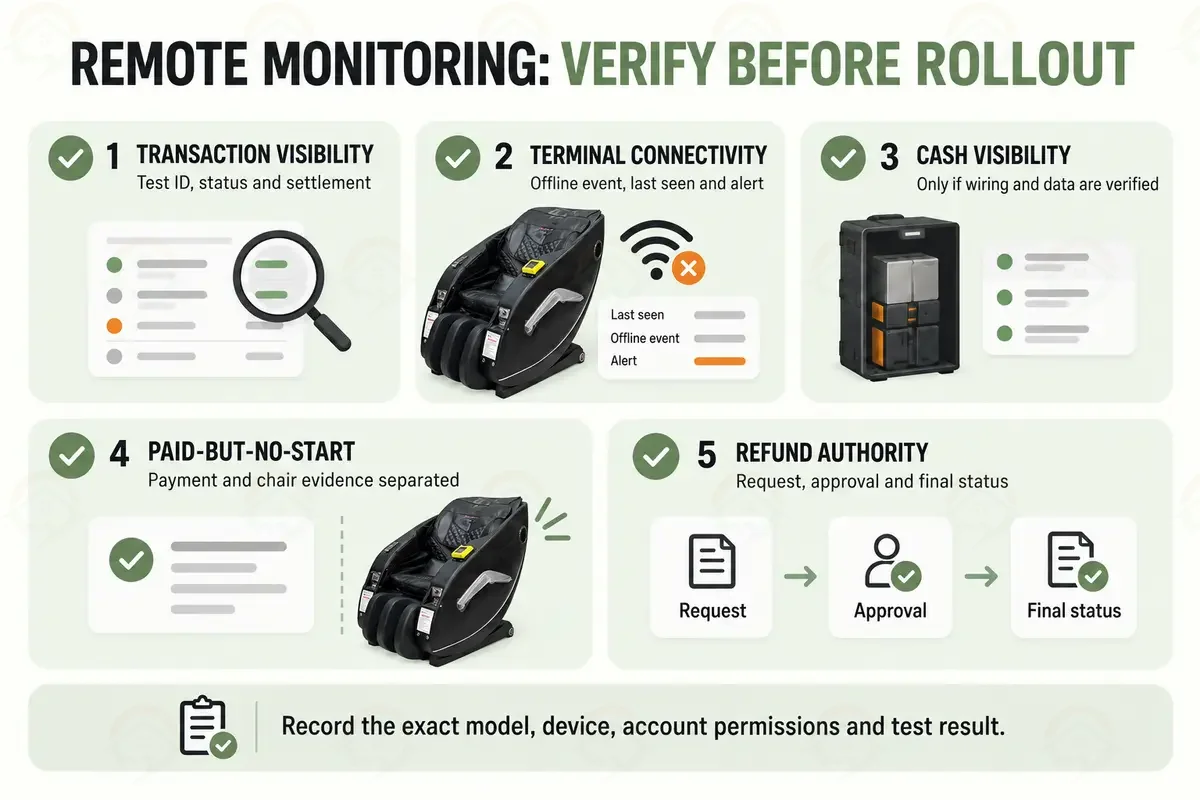
What belongs in a written remote-monitoring acceptance test?
| Buyer check | Evidence to request before sign-off |
|---|---|
| Transaction visibility | A test payment, DTM transaction ID, status and final settlement value; account permissions shown. |
| Terminal connectivity | A controlled offline event, the last-seen timestamp and the configured alert recipient/channel. |
| Cash visibility, if required | The exact cash signal or interface, wiring diagram and cash-versus-card report comparison. |
| Paid-but-no-start case | A witnessed test of payment status, chair start signal and any available feedback event, recorded separately. |
| Refund authority | A test request and approval path; written eligibility and settlement timeline from the acquirer. |
Acceptance checks, not a claim that every feature is supplied on every Sweet Home model.
What does remote monitoring still not replace?
It cannot prove venue footfall, clean a reader or inspect a chair's mechanism. It provides evidence for the next decision: compare transactions, connectivity and the chair's observed behavior, then send the appropriate provider or service team the matching records.
The exact equipment, supported signals, alert channels and commercial responsibilities must be confirmed against the chair model and payment agreement, not inferred from Nayax documentation alone.
Quick audit: would your team see a paid-but-idle chair?
Ask the supplier to show a payment record and a separate chair-start observation for the exact model. If only the card transaction can be shown, record 'session completion unverified' in the order annex. Then confirm who receives an offline alert and who can approve a refund.
Prepared by Sweet Home Technical Team. This article explains third-party Nayax documentation and purchase checks; it does not certify that every Sweet Home chair ships with these integrations or alerts.
Mia
Sweet Home Technical Team
Part of Sweet Home’s in-house technical team. Mia edits our FAQ content for importers, distributors and private-label brands. This installment checks Nayax documentation against the questions an operator should ask before buying.
Disclosure: Sweet Home is the manufacturer behind the products discussed here. The Nayax platform features discussed on this page come from linked third-party documentation. Sweet Home chair-side integration, alerts and payment terms require model-specific confirmation before ordering.
Can your operator actually see a failed chair session?
Send us the chair model, target market, payment terminal and required alert list. We will separate the functions documented by the payment provider from the chair-side signals that still need a configuration test before the order is agreed.
Related product pages
Cashless Payment Vending Massage ChairOEM Commercial Vending Massage Chair