
Part 1 — Cashless Payment System
Part 2 — Cash Box & Banknotes
Part 3 — Remote Monitoring
Part 4 — Internet & SIM Connectivity
Part 5 — Model Selection and Size Parameters
Part 6 — Spare Parts & Upholstery
Vending massage chair network connection affects payment authorization, remote status and the records an operator sees after an outage. WiFi and a cellular SIM are possible configurations, but neither is a universal fit.
Confirm the exact chair, payment terminal, modem and destination network before a venue rollout; a provider's feature list is not a factory acceptance test.
This is Part 4 of the six-part Vending Massage Chair Operator FAQ series: Part 1 — Cashless Payment System, Part 2 — Cash Box & Banknotes and Part 3 — Remote Monitoring. This installment covers the connection, not the payment contract, cash hardware or refund workflow.
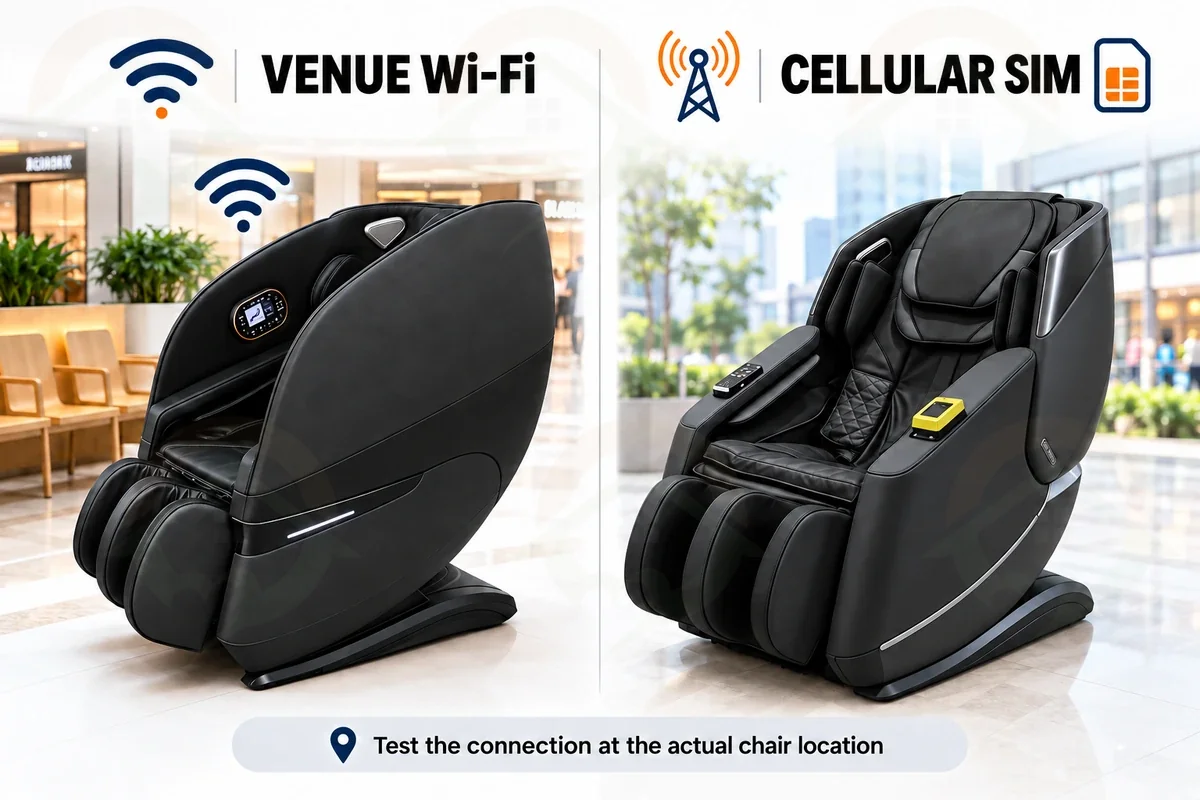
Choosing WiFi or a cellular SIM
Which connections can I specify for a vending massage chair?
WiFi and SIM-equipped cellular connections are available as configuration choices. Ask which connection is fitted to the quoted vending massage chair and its payment terminal: these may have separate communication paths.
Do not infer that every model has both, that it has a 5G modem, or that a SIM slot alone activates cellular service. Obtain the modem/terminal part numbers, supported network generations and bands, antenna arrangement and a connection test for the destination market.
| Choice | Practical advantage | What to check before relying on it |
|---|---|---|
| Venue WiFi | Can avoid a separate cellular plan where an operator controls the network | Coverage at the chair, password changes, captive portals, firewall rules, guest-network isolation and venue IT permission |
| Cellular SIM | Does not depend on the venue's WiFi credentials | Compatible modem and carrier bands, active data plan/APN, coverage at the installed position, roaming policy and recurring charges |
Neither path is automatically stable. A venue's shared WiFi can change without notice; a basement or metal enclosure can also impair cellular reception. Test the actual installation spot rather than choosing solely by the word “4G” or “5G.”
Is a 4G/5G SIM always better than WiFi?
A cellular connection may simplify third-party venue deployment where WiFi access is restricted. WiFi may be reasonable where the operator controls a reliable private network. A 5G SIM does not turn a 4G-only modem into a 5G device.
The hardware's supported LTE/5G bands, the carrier's coverage and the plan's provisioning must match. Ask the supplier to name the installed modem and run a site acceptance test with the proposed carrier; do not treat 4G/5G as a blanket chair specification.
SIM supply, local carriers and charges
Does the factory include a SIM and the first year of data?
Sweet Home can supply a SIM with a quoted vending-chair configuration. The operator is normally responsible for the recurring per-chair SIM and cloud-service cost.
A proposed factory-SIM package may include first-year data, but whether it is prepaid in the chair price or charged as a separate annual line must be confirmed in the quotation.
Ask for the provider, coverage countries, data allowance or fair-use limit, activation date, first-year expiry, renewal price, payer and account owner. Do not budget a free first year unless the quote explicitly says so.
Our Part 1 cashless-payment FAQ discusses the annual per-chair service charge. If your quotation includes first-year data, have the supplier state how that inclusion relates to the annual charge and when renewal begins.
Can I use a local SIM from my own carrier?
Possibly, if the specified modem and terminal accept a buyer-supplied SIM and the chosen carrier supports the device's bands, data service, APN/settings and required payment-platform access.
A SIM purchased in the country of use is not automatically compatible, and a factory-supplied SIM is not necessarily on a local carrier; it may use a roaming arrangement.
Ask whether the SIM is locked or managed by a payment provider, who may replace it, which carrier/network it actually uses at the venue and whether local substitution affects support or acquiring terms. Compare written renewal prices; do not promise that a local plan is cheaper everywhere.
What an outage changes
Does a paid massage stop if the connection drops?
If a payment has already been accepted and the chair controller has received and started the timed session, a later network interruption need not stop that local session. This does not guarantee uninterrupted power, controller operation or completion on every model.
Ask for a witnessed test: start a paid session, disconnect the network without disconnecting chair power, and record whether the timer and massage continue.
If payment was approved but the chair never started, investigate the payment-to-controller handoff separately; Part 3 addresses that distinction.
Can a customer still pay cash, card or QR while offline?
Cash acceptance may remain available if the installed coin/banknote acceptor and chair controller are powered and operate locally; it must be tested on the quoted hybrid setup. See Part 2 for the cash hardware and reporting questions.
Do not promise either that all card/QR payments stop or that all continue.
Nayax documents an optional offline-payment mode for certain EMV contactless/NFC configurations, with locally stored transactions that are processed after reconnection; activation requires Nayax Support permission.
This does not establish that the quoted Sweet Home chair, its terminal, its acquiring contract or any QR wallet has the feature. Unless offline payment is expressly approved and demonstrated, plan for new cashless sales to be unavailable during an outage.
Record payment types, limits, fraud/settlement risk and restoration behavior in writing.
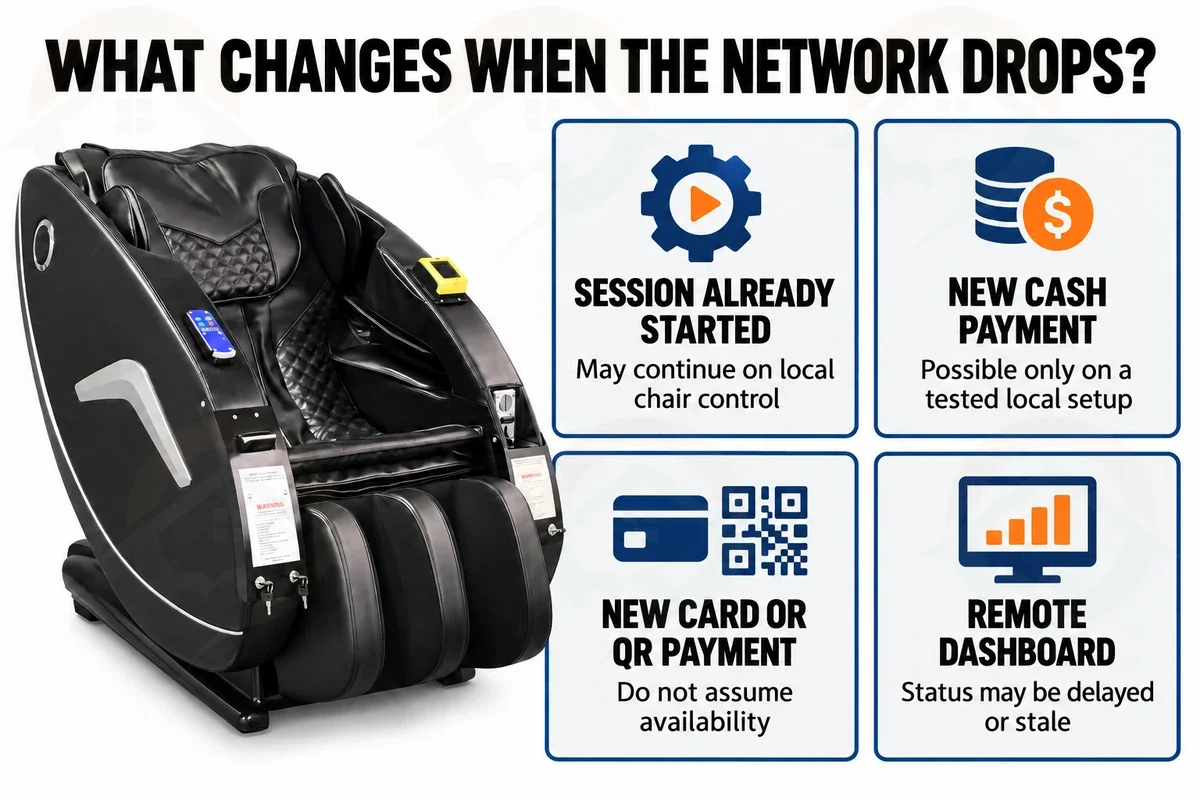
| Function during a network outage | Safe planning assumption until the quoted setup is tested |
|---|---|
| Session already started | May continue on local chair control while chair power remains on; test it |
| New cash payment | Possible only with a powered, locally integrated acceptor; test it |
| New card/contactless payment | Do not assume availability; provider-specific offline mode needs approval/configuration |
| New QR/wallet payment | Do not infer availability from an NFC offline mode; confirm separately |
| Remote status and sales view | May be delayed or stale; verify last-seen timestamp and later reconciliation |
Will the backend fill in data from the offline period after reconnection?
Do not assume that offline-period data will be uploaded later. The behavior has to be verified for the quoted chair and for each data stream. Payment records, cash-event telemetry, chair usage logs and status heartbeats may have different buffering and sync rules.
Nayax's documented eligible offline-payment mode explicitly stores certain transactions locally until connectivity returns; this is not proof that cash counts or chair telemetry backfill.
Ask the supplier to identify each reported field, where it is stored during an outage, how long it is retained and whether/when it appears after reconnection.
Reconcile the on-site cash count and chair session counter (if provided) with the dashboard after a controlled outage; do not treat an empty remote graph as proof that no sessions occurred.
Detecting and diagnosing an offline chair
Where do I see that a chair is offline, and will I get an alert?
Check the actual operator account for its connection indicator and last-seen time, if that field is available. A screen showing “offline” may describe the payment terminal's last report, not the chair's mechanical condition or the exact minute it disconnected.
The earlier remote-monitoring FAQ separates terminal status from session completion. Nayax Core's monitoring guide says machine-level alerts must be configured to receive offline/payment-failure notifications.
That provider capability does not verify push email/SMS or app notifications on this order. Ask for a test alert sent to the named operator account; otherwise schedule manual status checks. No fixed alert threshold is promised here.
What should I check first when a chair appears offline?
- Check chair power and whether a paid session is actually running; avoid resetting an active customer session.
- Check the terminal's displayed error and last-seen timestamp; distinguish terminal/network loss from a chair fault.
- For cellular, confirm plan activation/data, SIM seating according to the equipment service procedure, APN and signal at the installed position. For WiFi, confirm the venue network, credentials and any changed access rules.
- If authorized to do so, restart the network device or chair after recording the symptom and transaction references, then confirm status and a permitted test payment. Do not repeatedly reset a device with an unresolved paid-but-no-start transaction.
Quick audit: what should the operator sign off before installation?
Put these six answers on the order annex:
- Chair and terminal connection hardware and supported bands.
- WiFi permission or the tested carrier, SIM and APN at the intended venue.
- SIM provider, first-year inclusion (if any) and renewal responsibility.
- Online versus offline behavior for a started session and each payment type.
- Which transaction, cash and usage fields buffer and synchronize later.
- Last-seen display, alert recipient and channel, and escalation contact.
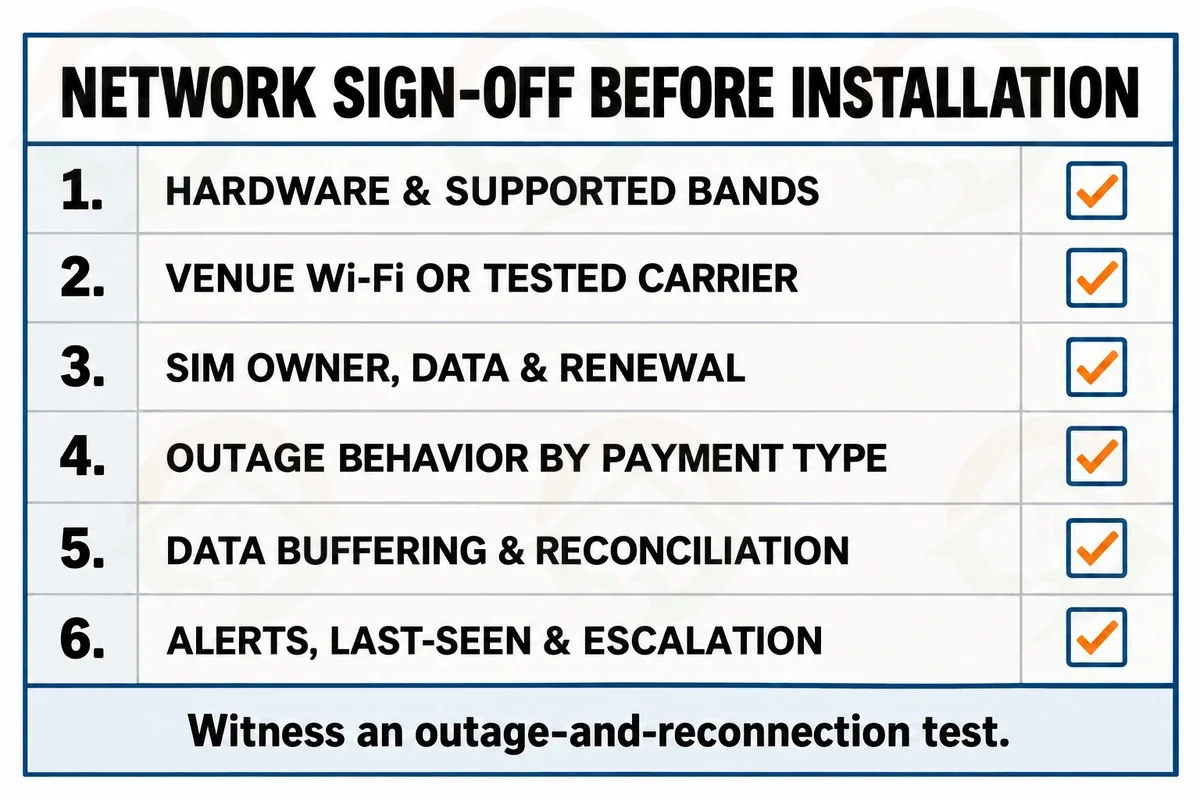
A witnessed outage-and-reconnection test is more useful than a generic “online monitoring” claim.
Next in the series: Part 5 of 6 covers model selection and size parameters; Part 6 covers spare parts and upholstery.
Mia
Sweet Home Technical Team
Part of Sweet Home’s in-house technical team. Mia edits our FAQ content for importers, distributors and private-label brands. This installment distinguishes confirmed connection options from model-specific SIM and outage behavior that buyers should test before ordering.
Disclosure: Sweet Home is the manufacturer behind the products discussed here. The operator questions reflect our buyer discussions. Third-party payment-provider capabilities are identified separately; SIM charges and chair-side integration must be confirmed on the specified order.
Quick audit: can this chair stay in service at your site?
Send the chair model, destination, venue and payment methods. Ask for the modem/SIM configuration, service terms and a witnessed outage-and-reconnection test before rollout.